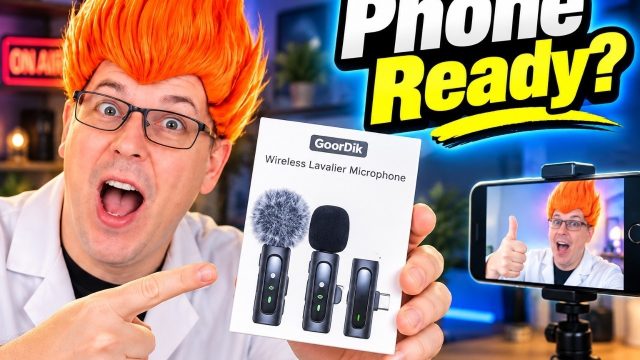
Wireless Microphone Set for Phones and Cameras
The BAILIXIN 3-in-1 set is a flexible two-mic kit with a rechargeable receiver, built-in clips, and useful connection options for phone and camera creators.
Affiliate disclosure: As an Amazon Associate I earn from qualifying purchases. This article may contain affiliate links, which means I may earn a commission at no extra cost to you.
The BAILIXIN 3-in-1 Wireless Microphone Set is a wireless microphone set for phones and cameras built around flexibility. I opened a kit with two clip-on transmitters, a rechargeable receiver, wind socks, a USB-to-USB-C cable, and a carrying case. Then I switched from my usual microphone to the BAILIXIN, watched its level in OBS, and worked through its pairing and transmitter controls. My short take: it picked up my voice very well, gives creators useful connection choices, and keeps its many little parts together better than many compact lavalier kits.
That last point may sound ordinary, but it matters to me. Small wireless microphone systems often involve several loose pieces: microphones, receiver, clips, cables, and wind protection. I lose loose lavalier-mic parts all the time. Opening this set and finding that everything has a case immediately made it more appealing. It is not an audio-quality claim; it is a practical ownership advantage. When the kit has a place to live between shoots, I am more likely to have the whole kit when I need it.
The other big appeal is that this is not aimed at only one device type. The receiver gave me options I identified for USB-C, Lightning, and a camera-style cable connection. If your work moves from a phone to a camera rather than staying in one ecosystem, that is the reason to consider this set. I would still confirm compatibility with the exact phone, camera, and recording app you use, but the physical connection options make the intended workflow clear.
A solid, flexible wireless microphone set for creators who need two clip-on mics and want to move between phone and camera setups. I liked the case, built-in clips, rechargeable receiver, and strong voice level; just avoid handling the transmitters while recording.
As an Amazon Associate I earn from qualifying purchases.
Who this wireless microphone set is for
I see the BAILIXIN set fitting mobile creators, vloggers, interview setups, and run-and-gun video where two people need to be heard. Two transmitters and one receiver give you a straightforward starting point for a host-and-guest recording, a conversation, or a quick interview. You do not need to assemble a larger audio rig just to put one mic on each speaker.
The receiver is especially relevant if your workflow changes. USB-C is useful for many current phones, Lightning addresses the iPhone connection I identified, and the camera-style cable option gives camera users a path that a phone-only receiver would not. That mixed-device focus is more valuable than adding another feature you may never touch. If you mainly shoot on one phone and never expect to use a camera, you may not need all of that flexibility. But if you alternate between phone clips and camera footage, it helps avoid buying separate microphone systems for each setup.
I also think the built-in clips make this friendlier for creators who want fast placement. The clip is integrated into each microphone instead of being a separate accessory. I liked that because a separate clip is exactly the sort of tiny piece that can go missing. I clipped the transmitter to my shirt for my audio check, and I could also see clipping it to a hat for a casual mobile recording. Wherever it goes, the microphone opening is at the top, so I would keep that end generally pointed toward my face.
This is not necessarily the ideal choice for someone shopping solely by verified battery runtime, maximum wireless range, or measured comparison data. I did not establish those details in my use. It is better suited to buyers who value the demonstrated setup, device-oriented receiver options, two-mic format, and convenient physical package, then are willing to check the remaining specifications against their own requirements.
| Microphones included | Two wireless clip-on transmitters |
|---|---|
| Receiver connections | USB-C, Lightning, and camera-style cable options |
| Receiver power | Rechargeable; can power on unplugged |
| Controls | Noise reduction, mute, reverb, and output level |
| Storage | Included carrying case |
| Outdoor accessory | Clip-on wind socks included |
What came in the case and why it matters
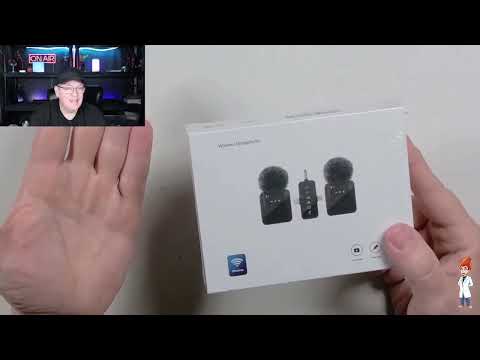
Inside the carrying case, I found the two microphone transmitters, the receiver, clip-on wind socks, and a USB-to-USB-C cable. The case was one of the first things I noticed because it addresses a real annoyance with compact lavalier systems. Rather than leaving accessories in separate pockets or drawers, I can keep the core pieces in one place. For a kit that may move from desk to bag to camera rig, that is a useful starting point.
The wind socks are included for outdoor filming. I did not establish outdoor performance with them installed, so I cannot say how much wind reduction to expect in a particular environment. Still, it is good that the kit includes an accessory intended for that situation instead of requiring you to source one separately. For buyers planning sidewalk interviews, vlogging, or other outdoor clips, the wind socks are part of the package worth keeping with the microphones.
Both transmitters have their clips built in, USB-C charging connections, a top-mounted microphone opening, a headphone-style jack, power controls, and plus/minus controls for gain or output level. I did not establish whether that headphone-style jack is for live monitoring, an external lavalier, or both, so I would not buy based on an assumption about that port. What I can say is that the transmitter itself keeps its essential mounting, charging, and adjustment features together in one compact piece.
The receiver stood out because it could power on without being plugged into another device. I found it was rechargeable rather than functioning only as an unpowered plug-in adapter. That adds flexibility when moving between setups. I did not measure runtime or charging time, but seeing the receiver operate while unplugged made its powered design clear.
My setup and pairing experience
Pairing was straightforward in my setup. I powered on a microphone and saw it flashing. Once it connected to the receiver, the transmitter stopped flashing and showed a solid green light, while the receiver showed a solid light. That clear transition was useful because it gave me a visible indication that the pair had connected without making the process feel complicated.
For a compact wireless system, I want the basic workflow to be uncomplicated: take the kit from the case, turn on the parts, confirm they are connected, place the transmitter, and begin checking levels. That is essentially what I experienced here. The receiver also has modes for different connected-device situations, including phone and camera use. There is an amplified-device mode as well, although that is probably not the setting most creators will use often.
I would choose the receiver mode based on the device I was connecting, then verify the incoming signal in the camera, phone, or recording software before starting a real shoot. That is particularly important because device-specific compatibility was not independently confirmed in my use. The connection selection is a strength, but it does not replace checking your own phone model, camera model, adapter needs, and recording app before an important session.
The transmitter controls cover more than basic power. I demonstrated selectable noise reduction, mute, reverb, and output adjustment. Having those controls on the microphone can be convenient for a fast shoot because the person wearing it does not have to reach back to the receiver for every change. At the same time, the controls require a little awareness: there is no visible on-device indicator showing the current output setting, so I would not adjust level blindly and assume I know where it landed.


Audio level was strong, but handling noise is real
For the actual audio check, I disconnected my previous microphone, clipped the BAILIXIN transmitter to my shirt, and monitored the level in OBS. My voice pickup looked strong. At a higher output setting, I saw the signal getting close to the red range, so I lowered it one step. I would much rather start with a healthy signal and bring it down than find that the microphone cannot provide enough level.
This also gave me a practical recommendation for first-time setup: use your meters. Since the transmitter does not display its current output level, the recording meter is the meaningful feedback. Set the mic in its intended position, speak at a normal real-world level, and check the incoming signal in your recording device or software. In my case, a small adjustment downward helped keep the level from pushing too close to red.
The tradeoff was handling noise. When I moved and handled the clipped transmitter, I could hear noticeable noise. That makes placement more important than it might seem. I would clip it securely, make any needed adjustments before the take, and then leave it alone while recording. This is a real product-level limitation from my test, particularly for people who tend to touch the microphone, reposition it during a sentence, or use it where clothing movement is unavoidable.
The output adjustment also felt fairly coarse. I found only a small number of apparent steps, and at the lowest end, the gain seemed completely off. That does not make the control unusable—I was able to reduce the high level by one step—but it means this is not a system where I would expect fine-grained adjustment from the transmitter alone. Monitoring the actual recording level is the sensible way to work with it.
Noise reduction, mute, and reverb have different uses
The BAILIXIN transmitters include noise reduction, mute, and reverb. I tested each one, and I would treat them as distinct tools rather than settings to leave on automatically without thought.
I counted with noise reduction enabled, then disabled it and enabled it again. I tend to leave a feature like this on because I record around ordinary household sound: a refrigerator in my office, an air conditioner at times, and other background noise that arrives at the wrong moment. The useful point is that the option is accessible from the transmitter. Whether you prefer it on for a particular recording is a decision I would make after listening to your actual environment and recording setup.
Mute worked as intended in my test. I enabled it and my voice stopped coming through; I unmuted and continued. That is a genuinely useful control for live streaming, a pickup shot, or a two-person recording where one person needs to pause. It is also a feature worth confirming before you rely on it in a live session, and I confirmed the basic behavior during my hands-on use.
Reverb is a more creative setting. It worked, and I described the sound as potentially funny before turning it back off. For normal talking-head video, interviews, or straightforward narration, I would keep it off. It could make sense for a casual clip where that effect is the point, but I would not frame it as a neutral enhancement for spoken voice. The good news is that it is selectable, so it does not have to be part of your default sound.
+ Pros
- Includes a carrying case that keeps small microphone parts together
- Two transmitters support interviews and two-person recordings
- Receiver offers USB-C, Lightning, and camera-style connection options
- Built-in clips cannot be separated and misplaced
- Voice level was strong in my OBS monitoring test
- Rechargeable receiver can power on while unplugged
− Cons
- Handling the clipped transmitter produced noticeable noise
- Output-level controls have no visible on-device setting indicator
- Output adjustment appears to have only a few steps, with the lowest setting effectively off
Why the receiver matters for phone and camera creators
The receiver is the product’s clearest differentiator. I identified connection options for USB-C, Lightning, and a camera-style 3 mm cable connection. That is what gives the BAILIXIN its broad phone-and-camera orientation. A creator who shoots phone-first can work toward a USB-C or Lightning workflow, while a creator using a mirrorless or DSLR-style camera has a camera-oriented connection option available.
This does not mean every device is automatically compatible. I did not independently confirm the set with every phone, camera, or recording app. But it does mean the receiver was designed with more than one kind of recording device in mind. For buyers who regularly change devices, that is a meaningful advantage over a receiver with only one built-in connector.
The two-transmitter configuration adds to that flexibility. A single clip-on mic is fine for solo videos, but a pair changes the kinds of recordings you can plan. You can mic a host and guest, record an interview, or use the second transmitter when another speaker joins a shoot. Keeping both transmitters and the receiver in the supplied case also makes that two-person capability easier to take with you rather than leaving one component behind.
Before buying, I would separate demonstrated strengths from questions that need your own verification. The case, clips, powered receiver, pairing behavior, strong OBS voice level, mute function, and connection options were all part of my hands-on experience. Exact battery life, charge time, wireless operating range, performance outdoors with wind socks, and specific device/app compatibility were not established. If any of those are deal-breakers, check them for your intended setup first.
Specs
| Spec | Detail |
|---|---|
| Product | BAILIXIN 3-in-1 Wireless Microphone Set |
| Transmitter count | 2 |
| Mounting | Integrated clothing clips |
| Transmitter charging | USB-C |
| Receiver connectivity | USB-C, Lightning, and camera-style cable connection options |
| Audio functions | Noise reduction, mute, and reverb |
| Level control | Plus/minus output or gain adjustment |
| Included accessories | Carrying case, wind socks, and USB-to-USB-C cable |
My buyer advice for this BAILIXIN kit
I would consider the BAILIXIN 3-in-1 Wireless Microphone Set if I wanted a compact two-person wireless kit and needed to move between phones and cameras. The carrying case is a practical win for me, because these small systems are easy to scatter. The integrated clips are another practical win because they cannot become a separate lost accessory. And the rechargeable receiver, which I could power on unplugged, makes the kit feel more versatile than a receiver that only works while attached to a device.
I would be especially interested if my recording schedule included casual vlogs, run-and-gun clips, interviews, or host-and-guest videos. The set has the components for those uses: two microphones, a receiver with multiple connection approaches, wind socks, and controls for noise reduction and mute. My OBS check also gave me confidence that there was a strong usable voice level available, provided I watched the meter and backed it down when needed.
I would be more cautious if I needed highly granular on-transmitter gain control, frequently handled the microphone while talking, or required confirmed performance specifications before purchasing. The handling noise I heard was noticeable, and the output control did not show a visible setting or feel especially fine-grained. Those are manageable limitations for many casual creators, but they are still worth understanding before the microphone becomes part of a paid or one-time-only shoot.
Overall, this is a nice little microphone set with a clear practical angle: it keeps the two-mic package together and supports a range of phone- and camera-oriented connection paths. I expect to use it more. For my workflow, the strongest reasons are not a flashy effect; they are the simple things that make a compact kit easier to carry, connect, and use.
Scorecard
USB-C, Lightning, and camera-oriented connection options are the main advantage.
I saw a strong, usable level in OBS during my test.
The transmitter paired quickly with clear status-light behavior.
The compact case and integrated clips make this easy to keep together.
Output level works, but there is no visible indicator for the current setting.
Should you buy this wireless microphone set for phones and cameras?
Yes, if your priority is a flexible two-transmitter kit that can fit into both phone and camera workflows. The BAILIXIN’s receiver connection options, rechargeable design, carrying case, and integrated transmitter clips give it a practical edge for mobile creators. I also saw a strong voice level in OBS and confirmed that pairing, mute, noise reduction selection, reverb selection, and level adjustment all functioned in my use.
Just go in with realistic expectations. Secure the transmitter before recording and avoid touching it during a take, because handling noise comes through. Check your recording meter when setting level, because there is no visual setting indicator on the transmitter. Keep reverb as an optional creative effect rather than a default for clear speech. Finally, verify your particular phone, camera, and app if compatibility is essential.
For vlogs, interviews, and compact two-person recordings, I think this is a solid option. It is especially appealing when you do not want a phone-only microphone package and appreciate having a complete kit that is easier to keep together.
As an Amazon Associate I earn from qualifying purchases.
FAQ
Can the BAILIXIN set record two people?
Yes. The kit includes two wireless microphone transmitters and one receiver, making it suitable for a two-person conversation, interview, or host-and-guest recording. The included carrying case is also useful for keeping both transmitters and the receiver together between shoots.
Does this wireless microphone set work with iPhone, Android, and cameras?
The receiver has connection options I identified for Lightning, USB-C, and a camera-style cable connection. That gives it a broad device focus, although you should still confirm compatibility with your exact phone, camera, adapter needs, and recording app before buying.
Does the BAILIXIN microphone have noise reduction?
Yes. I tested its selectable noise-reduction mode by turning it on and off while recording. I would use it as an available option around steady household background sounds such as a refrigerator or air conditioner, then listen to the result in my own recording environment.
Can you mute the microphone from the transmitter?
Yes. I tested the mute function on the transmitter and confirmed that enabling it stopped my voice from being heard. I then unmuted it and continued recording.
Is the receiver rechargeable?
Yes. I found that the receiver could power on without being connected to another device, and it can be charged. I did not establish its exact battery runtime or charge time.
Does the BAILIXIN have adjustable output level?
Yes. The transmitter has plus/minus output or gain controls. In my use, I found only a few apparent adjustment steps, with the lowest end seeming to turn gain completely off. There is no visible on-device indicator of the current level, so check the meter on your recording device or software.
Does it include wind protection?
Yes. The kit includes clip-on wind socks intended for outdoor filming. I did not test their outdoor performance, so I cannot say how they will perform in a specific wind condition.